

Google Local Services Ads (LSAs) charge per valid lead, not per click, and Google sets the price of each lead. You control the budget, not the rate. What a lead costs your firm depends on your practice area, your market and how many local firms are competing for the same inquiries. That is why no single national figure tells you what you will pay.
This guide explains how the billing works, what moves the price, where law firms waste money, and how to build a budget you can defend to your partners. It is written for owners, partners and marketing managers, not for DIY tinkerers.
The short version
- LSAs bill per valid lead (calls, messages, bookings). You set a weekly budget, and Google sets what each lead costs based on location, category and local competition.
- There is no fixed price list. Your real cost per lead depends on your practice area and market, so plan from your own account data after the first few weeks.
- Judge LSA by cost per signed case, not cost per lead. A cheap lead that never retains is the most expensive kind.
- Dispute invalid leads promptly, avoid opting into general lawyer leads without a reason, and check your state bar’s advertising rules before launch.
You pay only for valid leads, and your weekly budget caps the month
Standard Google Ads are built around clicks. LSAs are built around contact. According to Google, LSAs are pay-per-lead listings for verified providers that appear at the top of search results, and they are designed to prioritize calls, messages and bookings over clicks.
The mechanics, as Google documents them:
- You set an average weekly budget based on the number of leads you want in a typical week.
- Google tries to deliver as many leads as it can within that budget.
- You pay only for valid leads related to your business and the services you offer.
- In a given week you can spend more than your average, but Google caps the monthly total at your weekly budget multiplied by the average number of weeks in a month. All of this is described on Google’s how leads work page.
There is no monthly retainer to Google, no cost for impressions and no cost for ad clicks that do not become leads. That is the appeal. The catch is that you cannot name your own price per lead the way you can with a keyword bid in a traditional search campaign.
Practice area, geography, bidding mode and profile strength set what each lead costs
Google says that when similar local businesses bid on the same lead, those bids determine how much the lead is worth. In practice, four things push your cost up or down.
Practice area
A lead for a high-value case type, such as serious personal injury, is contested by more firms than a lead for a narrow or low-volume matter. Each category is its own auction. A family law lead and a mass tort lead do not sit in the same price band, and you should be wary of any blended benchmark that suggests otherwise.
Geography
Competition is local. A firm in a dense metro, where dozens of firms chase the same accident or criminal defense inquiries, usually pays more per lead than a firm in a smaller market in Alabama or Arkansas. Florida’s large metros are an example of markets where you should expect crowded auctions. Google states directly that price depends on location, service category and local competition.
Bidding mode
Google describes three approaches: Maximize leads, Target cost per lead, and Max per lead. Google recommends automated modes such as Maximize leads because the system learns your business over time. Manual caps can throttle volume if they sit below what the local market demands.
Profile strength
Bids are not the only factor in how high you appear. Reviews, responsiveness and a complete, verified profile all feed how often your ad is shown, and a better-positioned ad tends to convert more of its exposure into leads. This is why we treat reviews and the Google Business Profile as part of LSA performance, not as a separate project.
A national cost-per-lead average can’t tell you what your firm will pay
You will find cost-per-lead averages across the web, and they are wildly different. Some blend home services with legal. Some come from a handful of accounts. Some are old. A figure that mixes a plumber’s lead with a wrongful death lead tells a managing partner nothing.
We would rather show you how to produce your own number. Use this approach.
A budget worksheet you can fill in
| Input | Where it comes from | Example (illustrative only) |
|---|---|---|
| Target signed cases per month | Your intake capacity and goals | 4 |
| Lead-to-consultation rate | Your intake data | You enter it |
| Consultation-to-retained rate | Your intake data | You enter it |
| Leads needed per month | Signed cases divided by both rates | Calculated |
| Cost per lead | Your own LSA account after learning phase | Observed |
| Monthly lead spend | Leads needed multiplied by cost per lead | Calculated |
The example column is deliberately a structure, not a promise. The numbers that matter are your intake conversion rates and the cost per lead your account actually shows. Divide your spend by signed cases and you have the only metric worth comparing against other channels: cost per retained client.
Give the account about two weeks before judging lead cost or quality
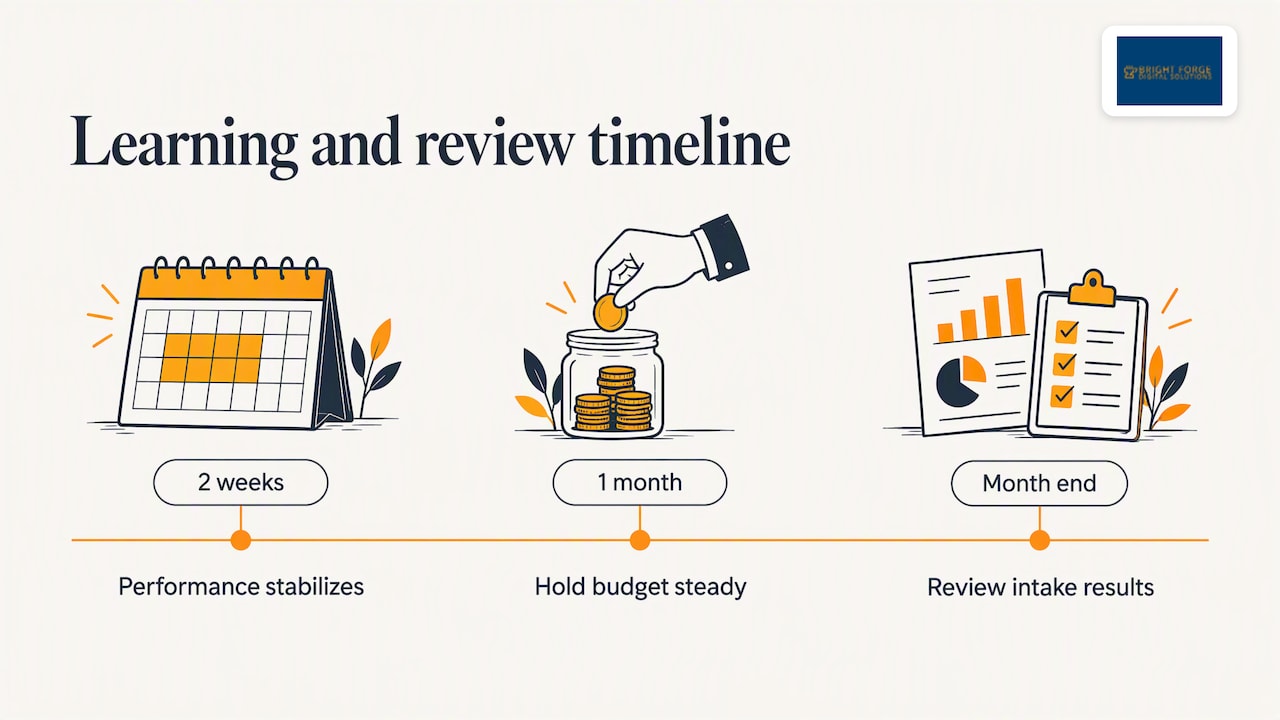
Google’s bidding system needs time to learn your business. Google’s guidance indicates it takes roughly two weeks of activity before performance stabilizes, and budget use and lead quality can swing in the meantime. Firms that keep pausing, changing budgets or switching bidding modes in that window reset the clock.
Our advice: pick a budget you can hold for at least a full month, set it, and resist the urge to tinker. Review results at the end of the month with intake data in hand.
General lawyer leads, missed disputes and slow answers drain LSA budgets
Most budget leaks are avoidable. These are the ones we see most often.
- Opting into general lawyer leads without a plan. Google allows law firms to opt into general lawyer leads to raise volume, but doing so signals you will accept any type of legal inquiry. If you turn it on, expect to pay for leads outside your practice areas. Keep it off unless you genuinely handle a broad mix of matters.
- Ignoring the dispute window. In the US, you can dispute invalid leads, such as spam, solicitations or the wrong service, within 30 days of the charge through the leads inbox. Credited leads come back to your account. Google notes this is not available for healthcare verticals, but it applies to legal. Someone at your firm should review the inbox weekly.
- Slow response. A lead that goes to voicemail is a lead you paid for and lost. If your intake is closed evenings and weekends, many of your paid leads will call another firm next.
- Changing settings too often. Constant edits reset the learning period and make results impossible to read.
- Measuring leads instead of cases. A low cost per lead means little if your team cannot qualify and book consultations quickly.
LSAs trade price control for easy setup; Google Ads gives you keywords and landing pages
The two products answer different questions, and the right choice depends on how much control you want.
| Factor | Local Services Ads | Standard Google Ads |
|---|---|---|
| Billing | Per valid lead | Per click |
| Price control | Weekly budget only; Google sets lead price | Keyword bids, match types, negatives |
| Placement | Top of results with a Google verified badge | Text ads open to any business |
| Best for | Firms that want inquiries from local searchers with minimal setup | Firms that want to shape keywords, landing pages and messaging |
| Landing experience | Google profile and call or message | Your website |
The distinction between a pay-per-lead listing and a pay-per-click text ad is the reason many firms run both. LSAs capture ready-to-call searchers, while a search campaign lets you build intent-specific landing pages. If you want help running the search side, see our Google Ads management. Either way, ad spend is paid to Google directly.
LSAs are moving into Google Ads, so check your settings before your account migrates
Google has been moving Local Services Ads into the main Google Ads platform. For law firms, the practical question is how budgets, bidding controls and reporting will look after migration. We keep a running explanation on our page about LSAs for law firms moving, and you should read it before your account migrates, because settings you rely on today may be handled differently afterward. The pay-per-lead idea is the part to hold on to when you plan a budget.
Check your state bar’s advertising rules before you set a budget
Before you spend a dollar, check your state’s rules. The American Bar Association’s guidance for newly admitted lawyers stresses that advertising and solicitation rules vary significantly by state, including how testimonials, web presence and disclaimers are handled. If you practice in Florida, Alabama, Arkansas or any other state, confirm the current rule with your state bar before launch. Reviews matter to LSA ranking, so how your firm solicits and displays them is a compliance question, not just a marketing one. Our guide to Google lawyer reviews and ethics covers the basics.
Ask what a lead is worth before you ask what it costs
A pattern we see repeatedly is that firms ask what a lead costs before they ask what a lead is worth. They are different questions.
We work only with law firms, and we build campaigns around booked consultations, not clicks. For LSAs, that shapes how we think about price in three ways.
First, the cost per lead is mostly outside your control, so the levers that matter are the ones around it: how fast your team answers, how well your profile earns trust, and how well intake qualifies the caller. Two firms paying the same Google rate can end up with very different economics depending on how many of those leads become consultations.
Second, LSA is one channel, not a strategy. If your Google Business Profile is thin, your reviews are sparse and your website does not convert, extra LSA budget just buys expensive visitors to a weak storefront. We prefer to fix the foundation, including local SEO and your Google Business Profile, so each paid lead lands somewhere that works.
Third, risk should be shared where possible. That is why we offer Pay Per Result SEO, where you pay for achieved first-page rankings rather than promises. LSA spend is different, because Google bills it per lead, but the same principle applies: measure outcomes, not activity.
Hold one budget for a month and measure cost per signed case
- Confirm eligibility and compliance. Check that your practice areas and state are supported, and review your state bar’s advertising rules.
- Complete and verify your profile. Reviews, hours, service areas and practice areas should be accurate before ads run.
- Choose a weekly budget you can hold for a month. Do not judge it until the learning period has passed.
- Start with an automated bidding mode. Google recommends Maximize leads for most advertisers. Move to a target or cap only when you have data.
- Keep general lawyer leads off unless you truly want every type of inquiry.
- Review the leads inbox weekly and dispute invalid leads inside the 30-day window.
- Track intake outcomes. Record which leads became consultations and which became retained clients.
- Recalculate your cost per signed case monthly and adjust budget only after a full cycle.
We can run your LSAs, or fix the intake that loses the leads you pay for
If you want a specialist to set up and manage your campaign, our Google Local Service Ads management for law firms is built around the legal client journey. We do not publish a price for LSA management, so we scope it to your practice areas and market. If intake is your bottleneck, our AI chatbots capture and qualify inquiries around the clock. For a deeper walkthrough of the program itself, read our guide to Google Local Service Ads for lawyers.
Frequently asked questions
How much does Google LSA cost for lawyers?
There is no fixed rate. Google charges per valid lead and sets the price based on your location, service category and local competition. You control only your average weekly budget, so your real cost per lead becomes clear after your account has run through its learning period.
How does Google charge me for Local Services Ads?
You pay for valid leads, meaning calls, messages and bookings related to your services. You set an average weekly budget, and Google may spend more in a given week but will not exceed the monthly maximum derived from that budget. You are not charged for impressions or clicks that do not produce a lead.
Can I get a refund for bad leads?
In the US you can dispute invalid leads, such as spam, solicitations or inquiries for services you do not offer, within 30 days of the charge. Approved disputes are credited back to your account. Review your leads inbox regularly so you do not miss the window.
Is Google Ads or LSA better for a law firm?
Neither wins in every case. LSAs bill per lead and need less setup, while standard Google Ads give you control over keywords and landing pages. Many firms use both and compare each on cost per signed case.
Is $10 or $20 a day enough?
It depends on your practice area and market. If a single lead in your category costs more than your daily budget, you may get very few leads in a week, which makes results hard to read. Set a weekly budget that can realistically buy several leads, and hold it through the learning phase.
Sources
- How leads work, Google Local Services Help
- How bidding works for Local Services Ads, Google Local Services Help
- Reach Local Customers with Local Service Ads, Google Ads
- 10 Practical Tips for Newly Admitted Lawyers, American Bar Association
Recommended
- Google Local Service Ads for Lawyers
- SEO for Law Firms, Explained
- Local Services Ads for Law Firms Are Moving
Want help putting this into practice at your firm?
Get a free Growth Plan built for your practice area and market. About two minutes — no call required.
Get my free Growth Plan